

Designers and creators
Design multiplayer micro-games, interactive worlds, and spatial puzzles using your own illustrations. No code required.
Gamify your training and workshops
Turn workshops and consulting sessions into living worlds. Let your clients move pieces, collaborate and explore your approach in real time. Share it with a link.
Ideal for: Corporate onboarding • Agile activities • B2B consulting • EdTech

Use cases
The end of static presentations. Design leadership activities, corporate escape rooms and visual maps where dozens of people can interact at once.
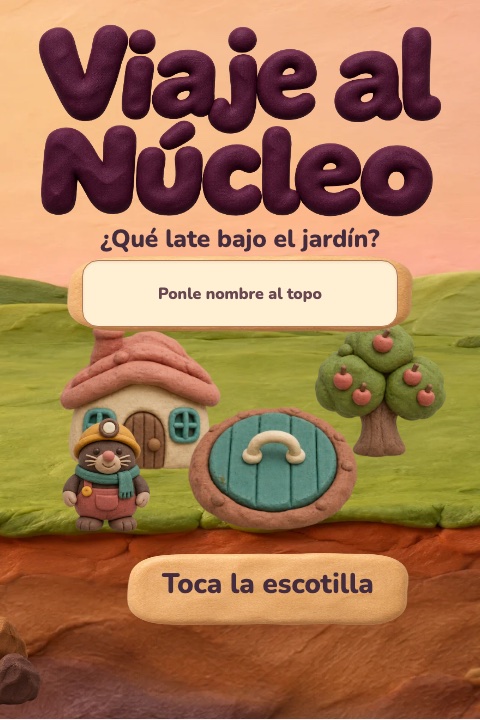
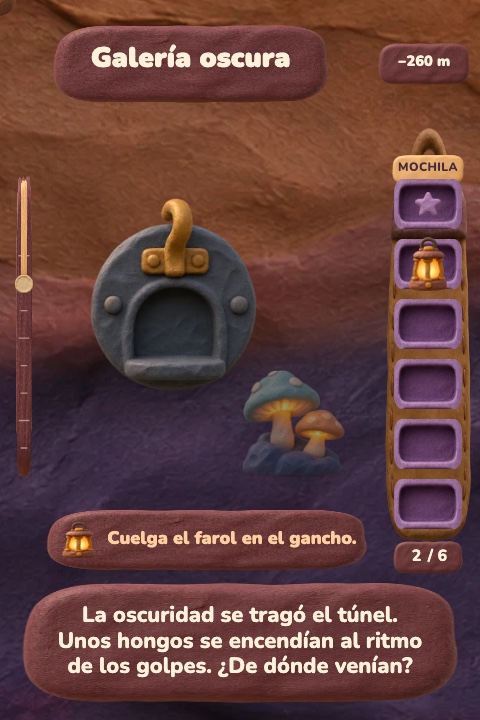
An interactive adventure where you explore underground, collect objects and solve puzzles. The camera follows your descent as you complete each challenge.
How it works
Your audience only needs the link. Aniiim takes care of hosting.
Bring in your illustrations or a PDF. Add camera moves, animation and visual rules in the editor.
On your project, choose Share link. Aniiim hosts the published version, and you can update it later without changing the URL.
Share the link by email or on social media, or embed the player on your site. Anyone with the link can open it without an account.
The engine
Bring in PSD or TIFF and keep their layers. Convert SVGs into editable vectors or bring in a layered PDF and start working on the canvas.
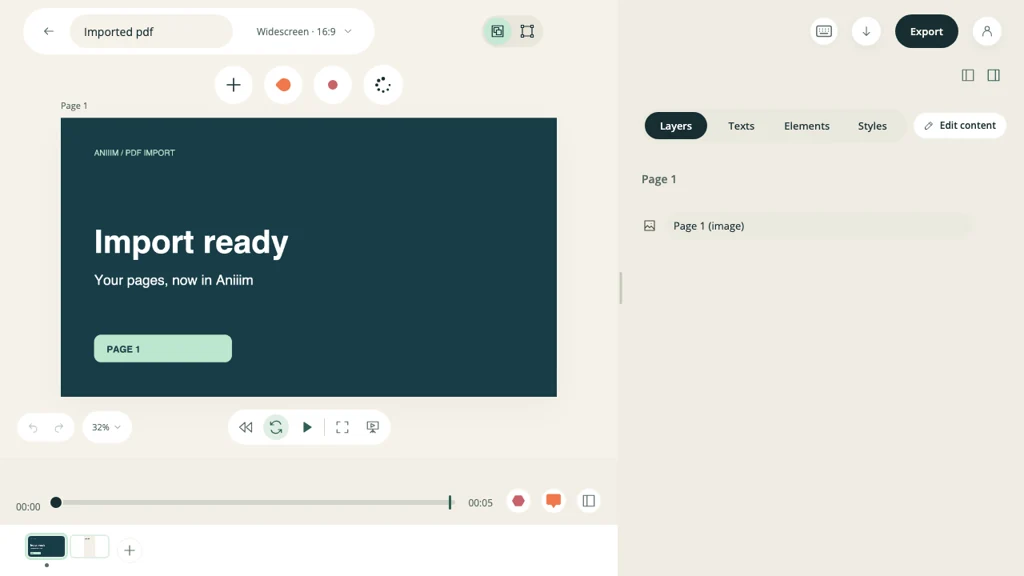
Record movements, refine keyframes with smooth interpolation, and use camera choreography to follow a path or zoom into an area of the canvas.
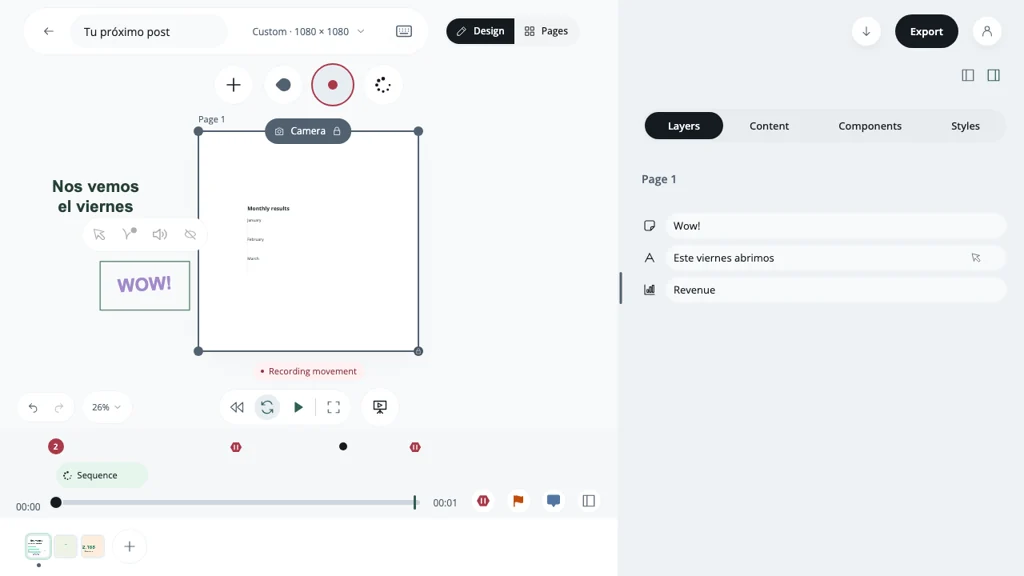
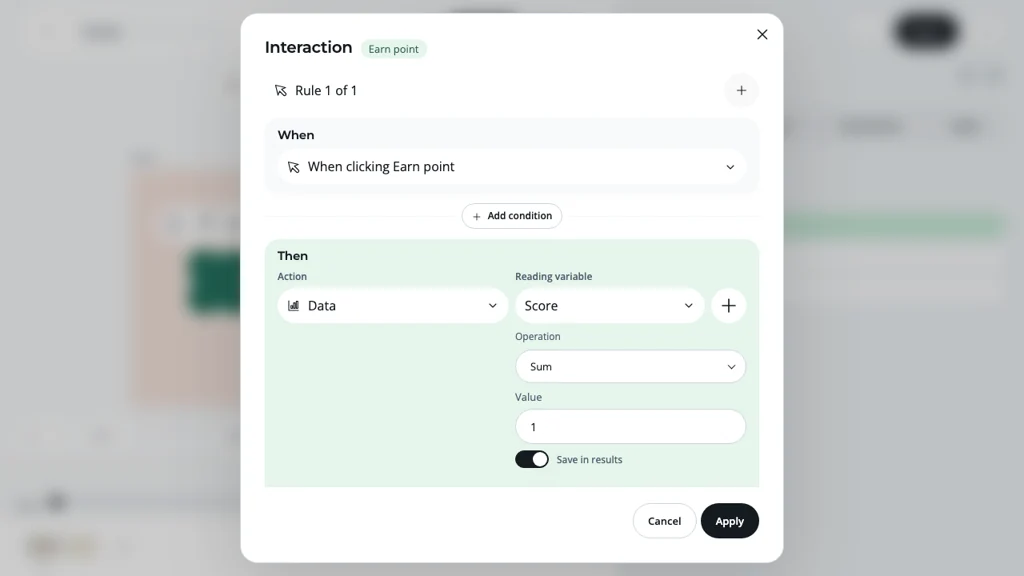
Trigger rules on click or drop. Combine text, number and yes/no variables with conditions to open doors, change a layer or take readers to a different scene.
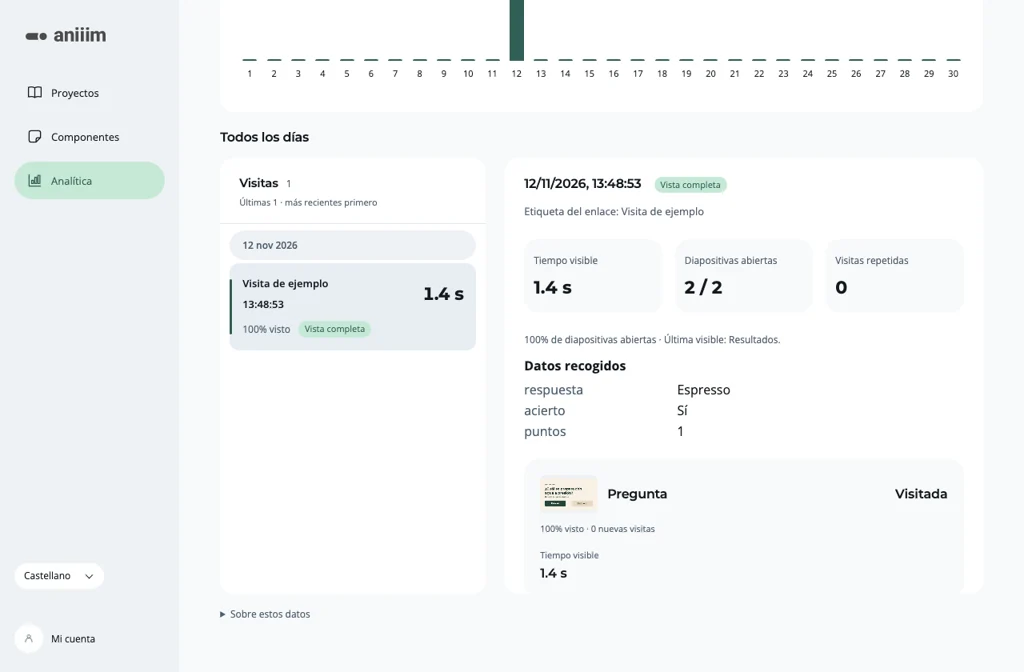
Share a public link, embed a responsive player, or export an editable .iii or MP4 video. Use Analytics to see opens, visible time per page and the decisions you’ve chosen to capture.
 Import without starting over Animation · Timeline & Composer Visual logic, no code Distribution & analytics
AI integration
Connect Aniiim to ChatGPT or Claude. Describe a project, edit a scene, or add variables and interaction rules in natural language. The assistant edits the project and Aniiim renders the result.
Aniiim Project preview Design multiplayer micro-games, interactive worlds, and spatial puzzles using your own illustrations. No code required.

Gamify your workshops and onboarding sessions. Build collaborative rooms where clients interact with your methodology in real-time.

Launch interactive brand activations and gamified campaigns. Turn your audience into active players with zero-friction browser experiences.
Library & components
Create your own components and save them in your library to reuse across projects. Add motion to an illustration or turn data into editable charts and indicators.
Explore components




Company training
We run hands-on courses for companies. Your team will learn to use the editor, animate scenes and create and share its own interactive projects.
Aniiim is a browser editor for creating interactive experiences. Design pages, animate their elements and decide what happens when someone interacts with them.
Use visual rules to make an element respond to a click or a drop, reveal content or open another page. Variables let you keep track of choices or progress.
Start with a PDF or PowerPoint, bring in layers from PSD and TIFF, or import SVG illustrations. Simple vectors remain editable, and artwork with complex effects can be kept as an image.
You need an account to save and publish your project. Anyone with the public link can open it in their browser without an account.
You can update the shared version and keep its URL. Use the responsive embed code to show the same project on your website.
Download an MP4 video, a PNG of the current frame or an editable .iii file you can open again in Aniiim. MP4 export requires a compatible browser.
Create an interactive experience in your browser and share it with a link.
Create my first project